Shopify Settings in Inconnect
The Shopify settings page in Inconnect allows you to configure and update the connection with Intacct. This setup is designed to synchronize data between Shopify and Intacct.
Retrieve Orders from Shopify
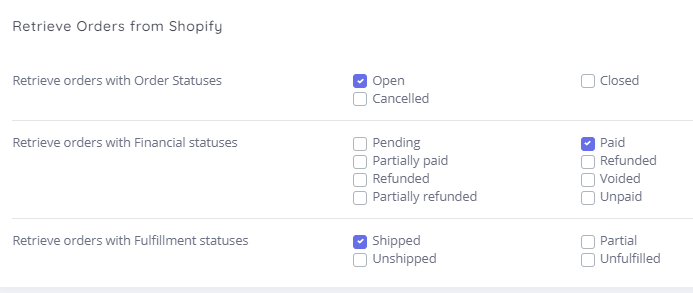
Enable & Sync Orders by Specific Statuses Only:
-
This setting enables you to control the synchronization of orders by selecting specific statuses from Shopify. The integration will only sync orders that match the statuses selected here. These settings can be updated as needed.
Match Shopify Products to Intacct Items

With this setting, you can select the Unique Key/Field to synchronize products between Shopify and Intacct. This can be updated at any time.
Create Sales in Intacct
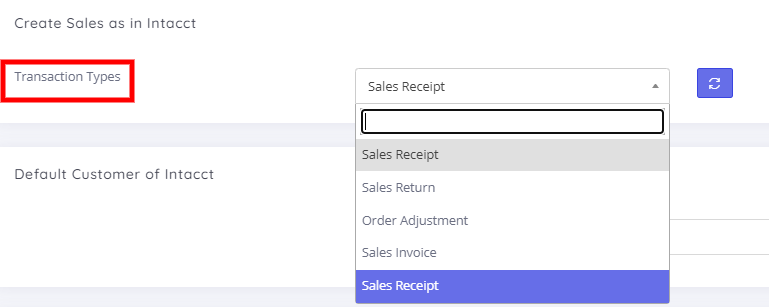
This setting allows you to select the transaction type to be created in Intacct.
Default Customer in Intacct

Choosing the option to create a default customer in Intacct means all orders will be processed under that customer.
Default Values for Order Transactions

Users can select specific Payment Terms and Transaction statuses. The selected status will then be applied to transactions created in Intacct.
Select Warehouse in Intacct for Sales Application

Users can choose the specific Intacct Warehouse from which stock values will be deducted.
Select Item Types to Skip Stock Value Checks in Default Warehouse
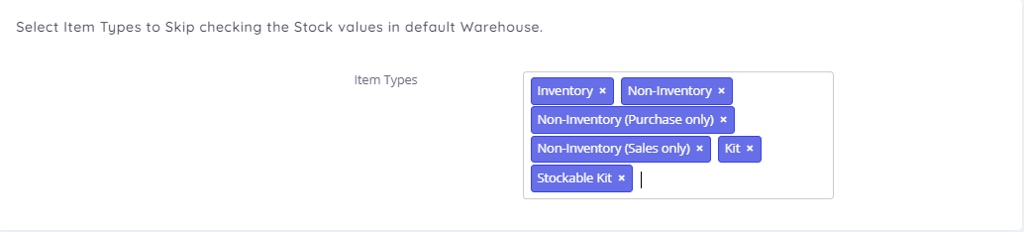
When creating orders, users have the option to skip checking the stock value of selected items.
Set Due Date for Sales Transactions

(Additional instructions or information might be needed here as the heading seems incomplete.)
Shipping/Discount/Tax Mappings to Intacct Items
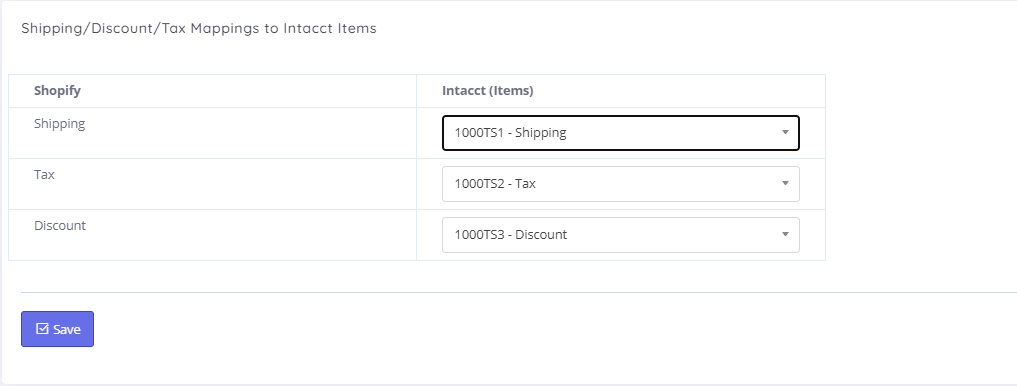
Map your shipping, discount, and tax details to corresponding items in Intacct.
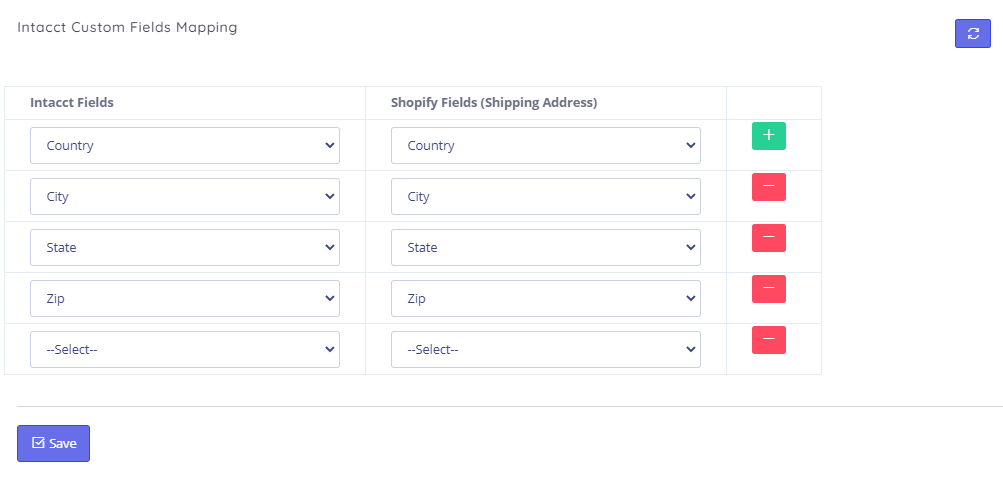
Intacct Custom Fields Mapping
Users can map custom fields between Shopify and Intacct for enhanced data synchronization.
Mapping Line of Business
Users can select the specific Channel under which they wish to create transactions in Intacct.