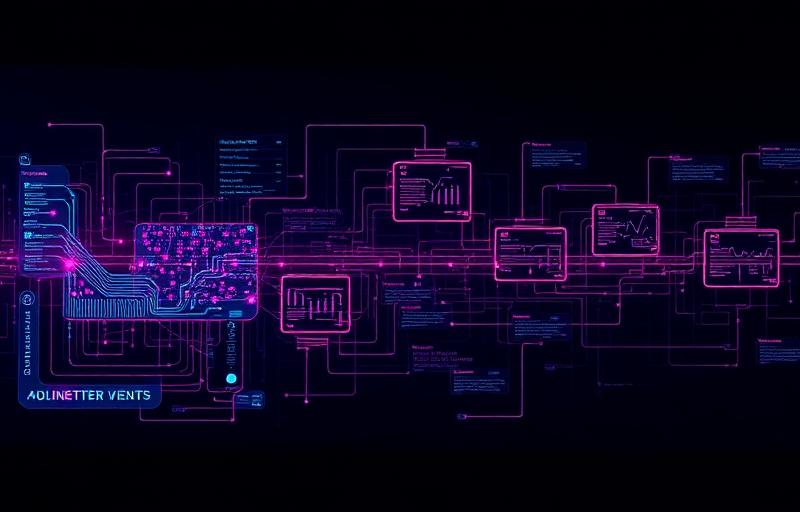
Inside an AI-Powered Integration Workflow: From Trigger to Resolution

Inside an AI-Powered Integration Workflow: From Trigger to Resolution

Inside an AI-Powered Integration Workflow: From Trigger to Resolution

What People Miss About “AI Automation”

Most conversations about AI automation stop at intelligence.
Very few explain execution.

After reading about AI-orchestrated automation, the next logical question is simple:

What does this actually look like when a system runs?

Not a demo.
Not a diagram.
A real workflow moving from event to resolution inside an enterprise environment.
An AI-powered integration workflow is not a single decision or model. It is a sequence of tightly controlled stages where automation, rules, and AI each play a specific role. The intelligence is important, but the structure is what makes it safe, scalable, and trustworthy.

This article walks through that structure step by step.

The Anatomy of a Modern Integration Workflow

At scale, integration workflows are not linear scripts. They are event-driven systems designed to respond, decide, route, and recover without breaking downstream operations.

A modern AI-powered integration workflow typically includes:

  • A trigger that signals change
  • A validation layer that ensures data integrity
  • A decision layer where AI may assist
  • Deterministic routing and execution
  • Exception handling with escalation paths
  • A feedback loop for learning and refinement

Each stage has a clear boundary. That boundary is what keeps AI useful instead of dangerous.

Triggers: Events, Schedules, and Signals

Every workflow starts with a trigger. Without a precise trigger, automation becomes noise.

In enterprise systems, triggers usually fall into three categories:

Event-Based Triggers

These fire when something happens in real time:

  • An order is created in an eCommerce platform
  • Inventory drops below a threshold in an ERP
  • A payment fails or clears

Event-driven automation is the backbone of modern workflows because it minimizes latency and reduces polling overhead.

Scheduled Triggers

These run at defined intervals:

  • Daily reconciliation jobs
  • Hourly inventory syncs
  • End-of-day financial postings

Schedules are still critical for batch processes and compliance-driven tasks.

Signal-Based Triggers

These originate from systems or humans:

  • A warehouse flags a fulfillment exception
  • A finance team approves a release
  • A monitoring system detects an anomaly

Not every trigger should invoke AI. Most should simply initiate controlled flow.

Where AI Makes Decisions (and Where It Doesn’t)

This is where most automation narratives go wrong.

AI does not replace workflow logic.
It augments specific decision points.

In a well-designed AI-powered integration workflow, AI is used when:

  • Classification is required
  • Confidence scoring matters
  • Pattern recognition adds value
  • Ambiguity exists

Examples:

  • Determining whether an order exception is high risk or routine
  • Categorizing incoming product data from multiple suppliers
  • Scoring the likelihood that a payment discrepancy requires human review

AI should not:

  • Move money
  • Commit inventory
  • Create financial records
  • Override compliance rules

Those actions remain deterministic, auditable, and rule-based.

AI informs.
Rules execute.

Data Validation, Enrichment, and Routing

Before any system action occurs, data must be trusted.

Validation

This layer checks:

  • Required fields
  • Schema compliance
  • Referential integrity
  • Business rules

Invalid data is stopped early. This prevents silent corruption across ERP and eCommerce systems.

Enrichment

Once validated, data is enhanced:

  • Adding customer tiers
  • Normalizing product attributes
  • Appending risk or priority scores

AI can assist here, especially when enrichment depends on inference rather than lookup.

Routing

Finally, the workflow determines where data goes:

  • Which ERP instance
  • Which fulfillment provider
  • Which downstream automation path

Routing is deterministic. Even if AI suggests a path, the system enforces guardrails.

Exception Handling and Human Review

No enterprise workflow is complete without failure paths.

Exceptions are not edge cases. They are expected states.

A mature AI-powered integration workflow includes:

  • Explicit exception definitions
  • Retry logic with limits
  • Escalation thresholds
  • Human-in-the-loop checkpoints

When something breaks:

  • The system knows what failed
  • It knows why it failed
  • It knows who should see it

Human review is not a weakness. It is a design feature that protects trust, compliance, and customer experience.

Closing the Loop: Learning Without Breaking Systems

The final stage is often ignored.

Learning must happen outside execution.

AI models improve through:

  • Logged outcomes
  • Reviewed decisions
  • Resolved exceptions

But learning never rewrites live workflows on its own.

Updates are:

  • Reviewed
  • Tested
  • Versioned
  • Deployed intentionally

This separation is what allows systems to evolve without introducing risk into production operations.

How This Fits Into the Apiworx Architecture

Apiworx is built around this exact workflow philosophy.

  • Event-driven automation initiates flow
  • Deterministic orchestration controls execution
  • AI assists only where uncertainty exists
  • ERP and eCommerce systems remain authoritative
  • Exceptions are visible, traceable, and recoverable

This is not about replacing systems.
It is about connecting them intelligently.

Why This Matters for Enterprise Teams

When AI-powered integration workflows are designed correctly:

  • Operations scale without chaos
  • Exceptions are handled before customers feel them
  • Teams trust automation instead of working around it
  • AI becomes an asset, not a liability

This is how enterprises move from experimentation to execution.

Frequently Asked Questions (Surfer SEO Boost)

What is an AI-powered integration workflow?

An AI-powered integration workflow is a structured automation process that uses AI selectively to support decision-making while relying on deterministic rules for execution across systems like ERP, eCommerce, and finance platforms.

How is AI-powered automation different from traditional automation?

Traditional automation follows fixed rules only. AI-powered automation introduces intelligence at specific decision points, such as classification or prioritization, without removing control or auditability.

Where should AI be used in enterprise workflows?

AI works best in areas involving ambiguity, pattern recognition, or scoring. It should not be used for direct system actions like posting transactions or moving inventory.

Can AI-powered workflows run without human involvement?

They can run autonomously for standard scenarios, but well-designed workflows always include human-in-the-loop paths for exceptions, compliance, and risk management.

How do AI-powered integration workflows handle errors?

Errors are handled through defined exception paths, retries, escalation rules, and human review, ensuring failures are visible and recoverable.

Are AI-powered workflows safe for ERP systems?

Yes, when AI is isolated from execution logic and ERP systems remain the source of truth. Safety comes from orchestration, not intelligence alone.

Apiworx is dedicated to helping eCommerce businesses scale faster than ever possible before by streamlining and managing complex OmniChannel data flows, we save our customers time and money, allowing them to scale their businesses faster and more effectively.  We focus on automation and integration of often-overlooked back-office systems and processes such as order and inventory management.   We work with major partners in the industry and build best-in-breed automation and integration solutions.